
Software
Watchdog
Section titled “Watchdog”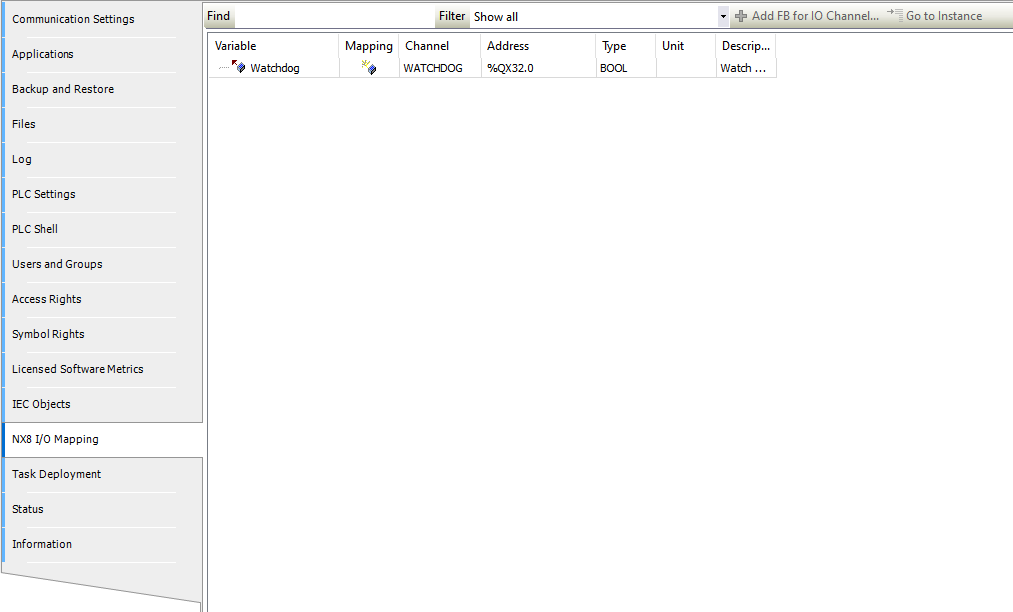
A hardware watchdog relay is wired to the power connector. In the nX8 I/O Mapping sheet a BOOL variable named Watchdog is automatically mapped.
Activate by calling this in your main task:
WATCHDOG := TRUE;If the task stops executing due to a fault or exception, the watchdog relay opens.
Ethernet Lines
Section titled “Ethernet Lines”The nX8 has three Ethernet lines: eth0, eth1 (standard Ethernet), and eth2 (EtherCAT local bus via ET1100). ETH1 has lower latency and lower jitter — recommended for EtherCAT connections, especially for motion control, CNC and robotics applications.
Default settings:
| Interface | IP | Mask | Gateway |
|---|---|---|---|
| ETH0 | 192.168.1.100 | 255.255.255.0 | 192.168.1.1 |
| ETH1 | 192.168.2.100 | 255.255.255.0 | 192.168.2.1 |
Connect via SSH (username: root, password: root) and edit:
Static IP (eth0):
[Match]Name=eth0
[Network]Address=192.168.1.100/24Gateway=192.168.1.1DNS=192.168.1.1
DHCP (eth0):
[Match]Name=eth0
[Network]DHCP=yes
IO Modules
Section titled “IO Modules”The nX8 provides a local EtherCAT bus via the ET1100 controller on eth2, allowing expansion with dedicated I/O modules. XML device files must be imported into the CODESYS Device Repository.
Step 1 — Add EtherCAT Master:
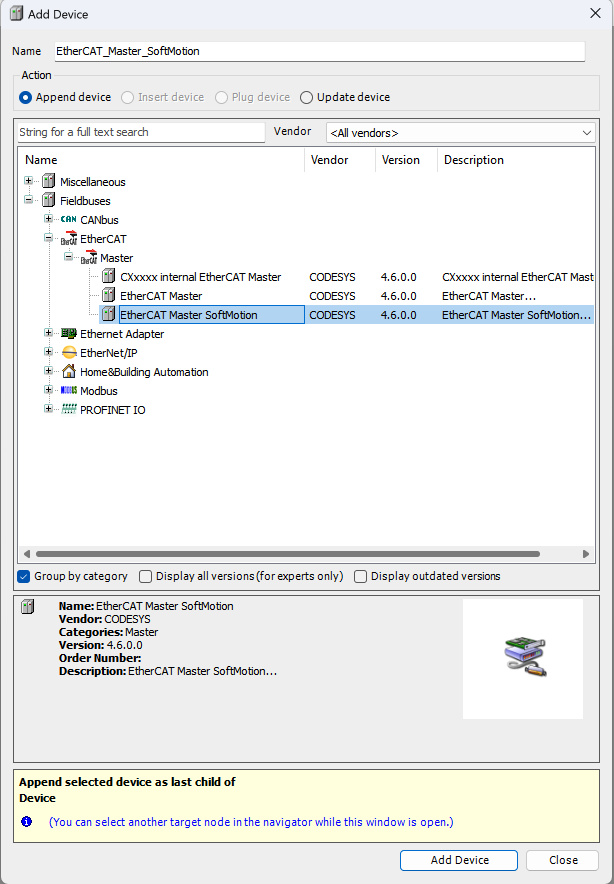
Right-click the nX8 device and select Add Device, then add an EtherCAT Master or EtherCAT Master SoftMotion.
Step 2 — Select eth2 as network interface:
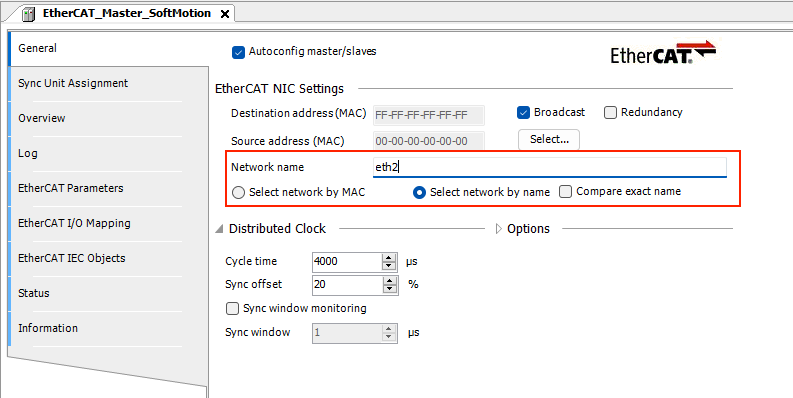
Step 3 — Add the UFG-FIELDBUS interface:
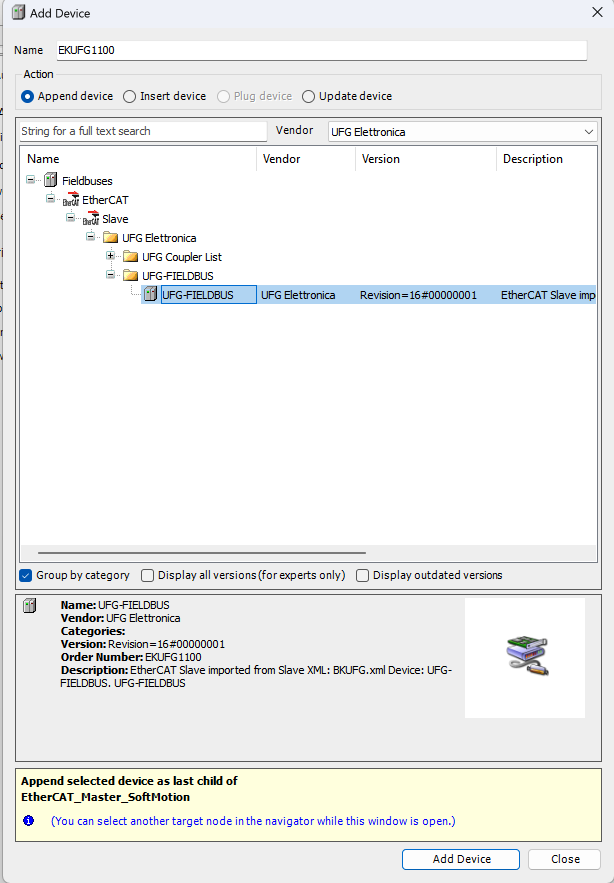
Removable Storage
Section titled “Removable Storage”| Device | Mount path |
|---|---|
| USB memory | /media/sda1/ |
Read and write files using the standard CODESYS file access functions.
CODESYS USB Dongle Key
Section titled “CODESYS USB Dongle Key”Additional licenses (fieldbus, libraries, etc.) can be purchased from the CODESYS Online Store. Insert the CODESYS Key into the USB host port to activate them.
CODESYS Automation Server (CAS)
Section titled “CODESYS Automation Server (CAS)”The nX8 supports connection to the CODESYS Automation Server for:
- Remote device access and monitoring
- Application deployment and update
- WebVisu page hosting
- OPC UA data visualization
A CAS account is required. See the CAS official help.
CODESYS Edge Gateway
Section titled “CODESYS Edge Gateway”To connect the nX8 to CAS, install the CODESYS Edge Gateway component on the device. Follow the Edge Gateway for Linux guide.