
Software
Ethernet Lines
Section titled “Ethernet Lines”The nX1 has two Ethernet lines: eth0 (EtherCAT local bus via ET1100) and eth1 (standard Ethernet).
Default settings — ETH1:
IP=192.168.1.100 Mask=255.255.255.0 Gateway=192.168.1.1To modify eth1 settings, connect via SSH (username: root, no password) and edit:
Static IP:
[Match]Name=eth1
[Network]Address=192.168.1.100/24Gateway=192.168.1.1DNS=192.168.1.1
DHCP:
[Match]Name=eth1
[Network]DHCP=yes
IO Modules
Section titled “IO Modules”The nX1 provides a local EtherCAT bus via the ET1100 controller, allowing expansion with dedicated I/O modules. XML device files must be imported into the CODESYS Device Repository.
Step 1 — Add EtherCAT Master:
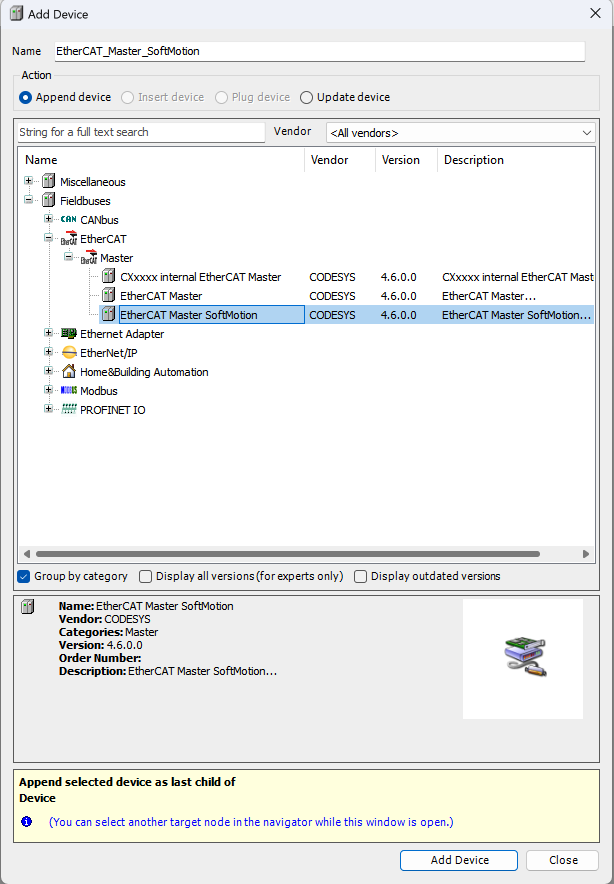
Right-click the nX1 device in the CODESYS tree and select Add Device, then add an EtherCAT Master or EtherCAT Master SoftMotion.
Step 2 — Select eth0 as network interface:
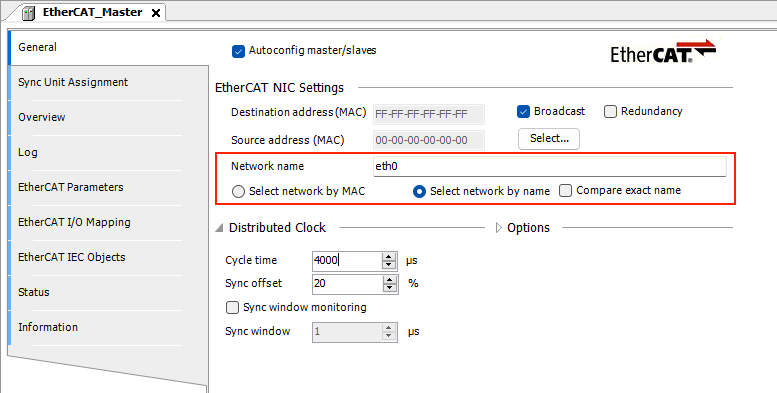
Step 3 — Add the UFG-FIELDBUS interface:
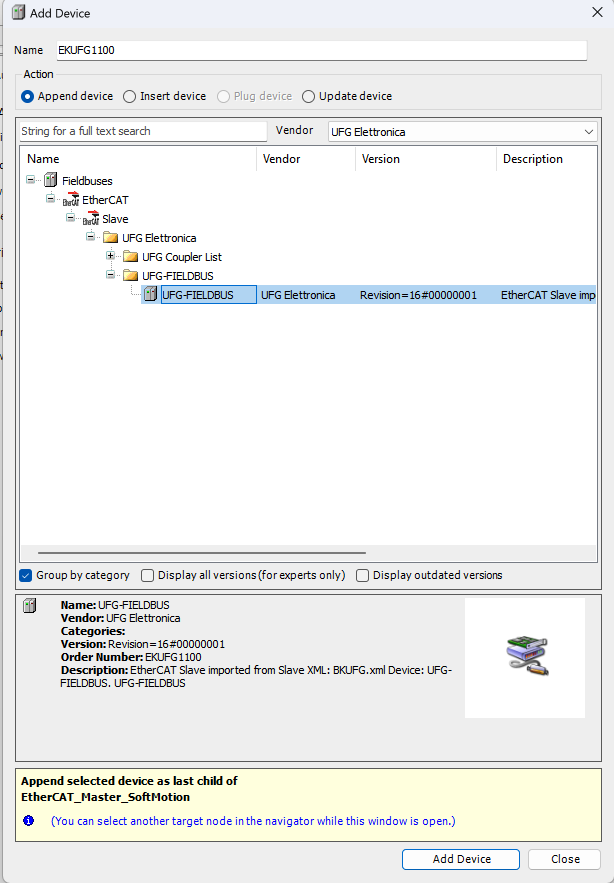
Right-click the EtherCAT Master and select Add Device to add the UFG-FIELDBUS interface.
Removable Storage
Section titled “Removable Storage”| Device | Mount path |
|---|---|
| USB memory | /media/sda1/ |
Read and write files using the standard CODESYS file access functions.
CODESYS USB Dongle Key
Section titled “CODESYS USB Dongle Key”Additional licenses (fieldbus, libraries, etc.) can be purchased from the CODESYS Online Store. Insert the CODESYS Key into the USB host port to activate them.