
Software
The nX3CpuSetup 1.0.1.0 library (CODESYS) provides runtime control over IP settings and system functions.
SetEthIPAddressEx
Section titled “SetEthIPAddressEx”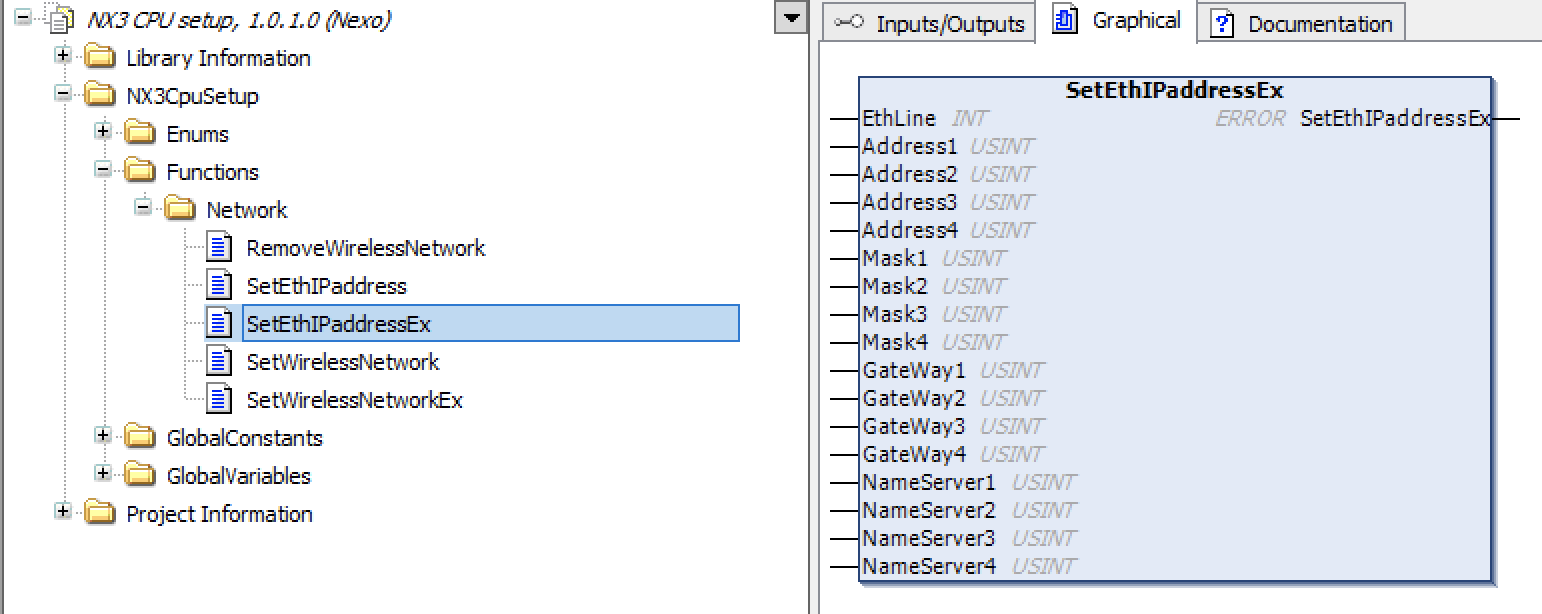
Changes the IP configuration of ETH0 or ETH1 at runtime from within a CODESYS application.
Static IP on ETH0:
VAR    Error : nX3.ERROR;END_VAR
Error := nX3.SetEthIPaddressEx(    0,    192, 168, 10, 123,   (* IP *)    255, 255, 255, 0,    (* Mask *)    192, 168, 10, 1,     (* Gateway *)    192, 168, 10, 1      (* DNS *));
Static IP on ETH1:
Error := nX3.SetEthIPaddressEx( 1, 192, 168, 20, 123, 255, 255, 255, 0, 192, 168, 20, 1, 192, 168, 20, 1);DHCP (pass all zeros):
Error := nX3.SetEthIPaddressEx( 0, 0, 0, 0, 0, 0, 0, 0, 0, 0, 0, 0, 0, 0, 0, 0, 0);Bus Speed
Section titled “Bus Speed”Sets the communication speed of the local I/O bus. Default: 8 MHz (maximum). This value should never be changed.
Watchdog
Section titled “Watchdog”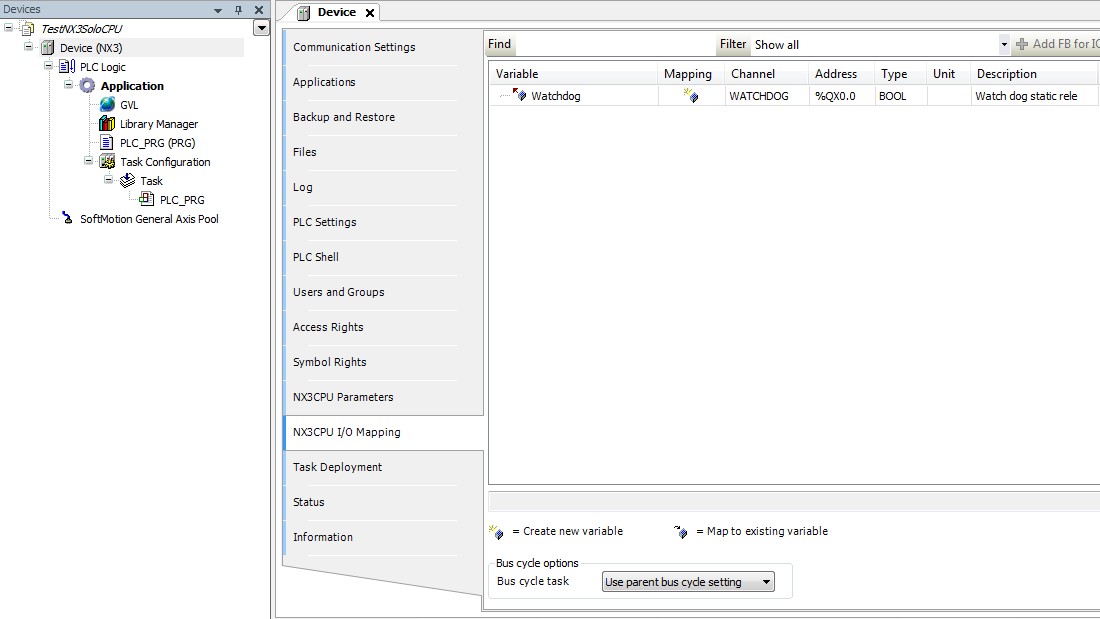
A hardware watchdog relay is wired to the power connector. In the nX3 CPU I/O Mapping sheet a BOOL variable named Watchdog is automatically mapped.
Activate by calling this in your main task:
WATCHDOG := TRUE;If the task stops executing due to a fault or exception, the watchdog relay opens.
IO Modules
Section titled “IO Modules”The nX3E local bus supports expansion with ProCard I/O modules by UFG Company. Add modules via the CODESYS device tree context menu. Each module exposes its I/O points through the nX3CPU I/O Mapping sheet.
Removable Storage
Section titled “Removable Storage”| Device | Mount path |
|---|---|
| microSD | /media/mmcblk1p1/ |
| USB memory | /media/sda1/ |
Read and write files using the standard CODESYS file access functions.
CODESYS USB Dongle Key
Section titled “CODESYS USB Dongle Key”Additional licenses (fieldbus, libraries, etc.) can be purchased from the CODESYS Online Store. Insert the CODESYS Key into the USB host port to activate them.
CODESYS Automation Server (CAS)
Section titled “CODESYS Automation Server (CAS)”The nX3E supports connection to the CODESYS Automation Server for:
- Remote device access and monitoring
- Application deployment and update
- WebVisu page hosting
- OPC UA data visualization
A CAS account is required. See the CAS official help.
CODESYS Edge Gateway
Section titled “CODESYS Edge Gateway”To connect the nX3E to CAS, install the CODESYS Edge Gateway component on the device. Follow the Edge Gateway for Linux guide.